

Surge
Spot outages from the ticket queue while they are happening, and handle thirty tickets as one incident.
When the mail server goes down, you don't get one ticket
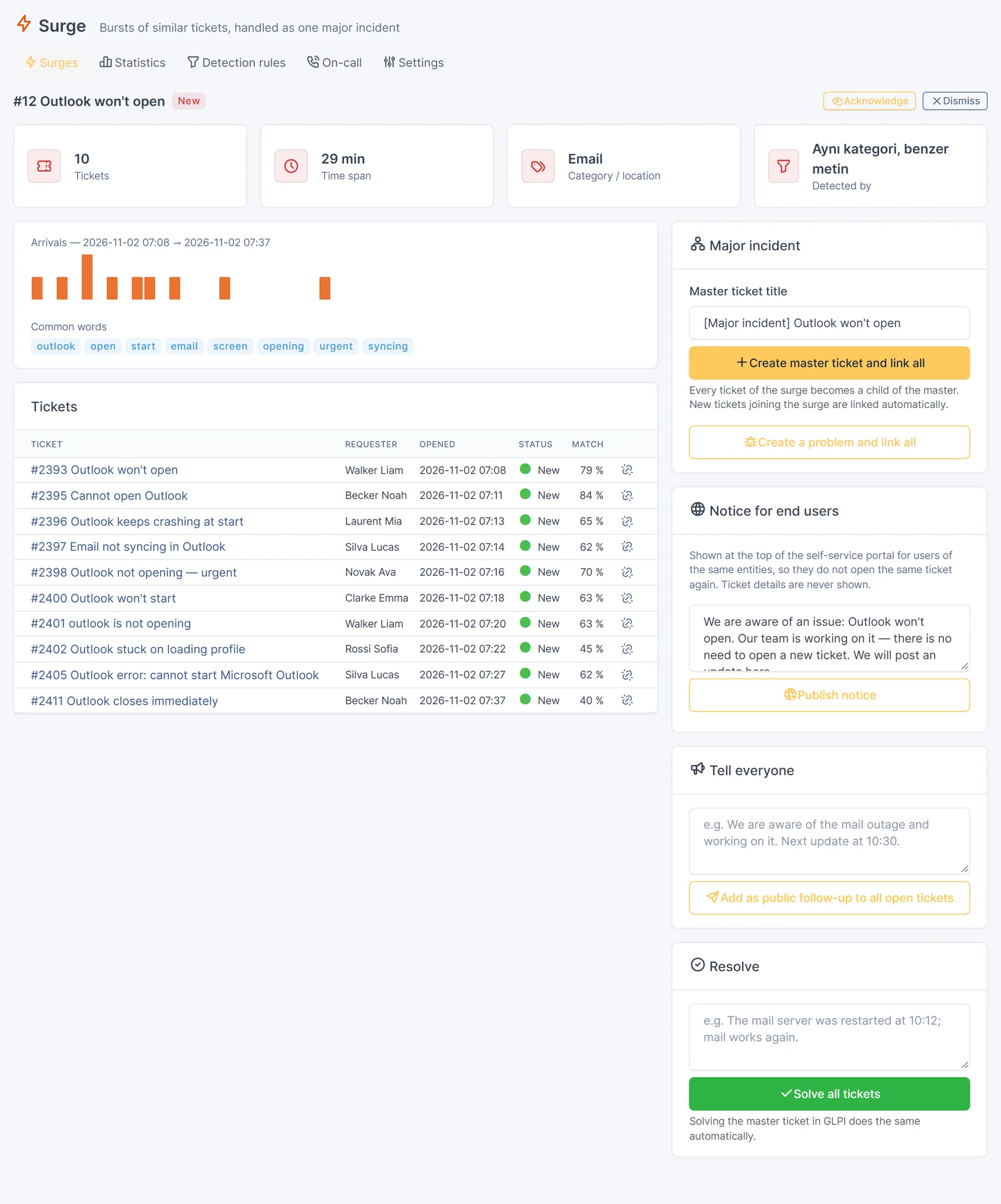
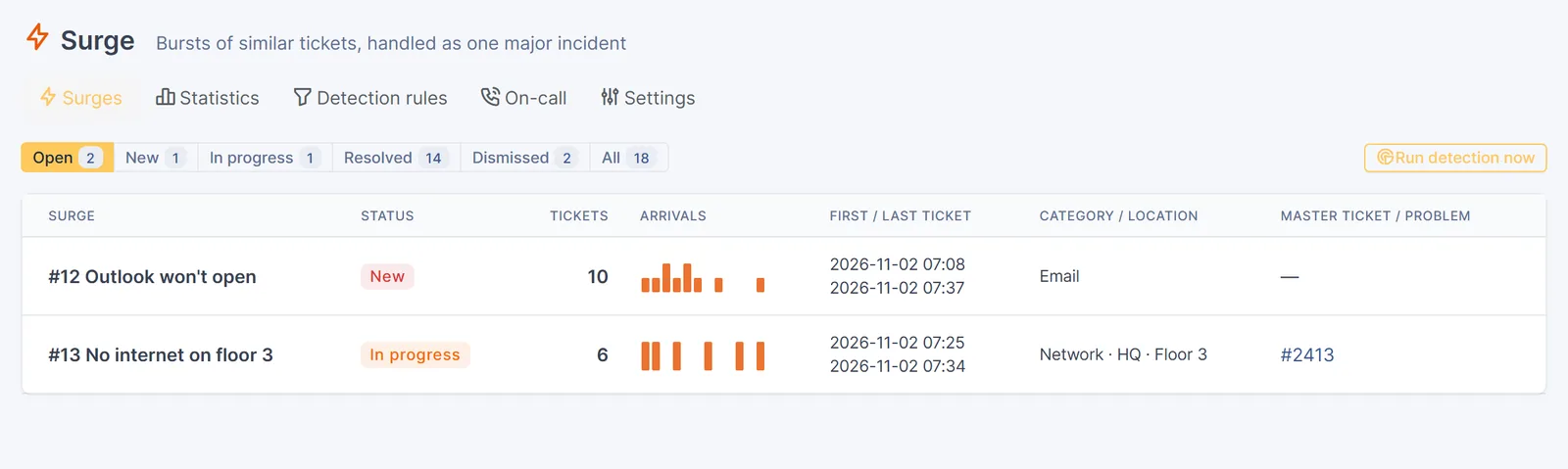
You get ten in half an hour: "Outlook won't open", "Outlook keeps crashing", "email not syncing". Each agent sees two or three and answers them one by one. Surge sees that they are the same incident, leaves the printer ticket in the same category out, and groups them into one surge.
| Without Surge | With Surge |
|---|---|
| The incident is noticed when someone happens to look | Detected as the tickets arrive, with an optional Slack / Teams / e-mail alert |
| 10 tickets, 10 investigations, 10 different answers | One master ticket, every ticket linked as a child |
| Requesters chased one by one for updates | One public follow-up reaches every requester |
| Each ticket closed by hand when the fix is in | Solve the master ticket and every linked ticket is solved |
| Problem record built from memory | One click: problem created and linked to all tickets |
What it does
Real-time detection
Runs when each ticket is created, plus an automatic action every 5 minutes as a safety net.
Understands messy titles
Accents, word endings and typos are handled. "Outlook won't open" and "OUTLOOK NOT OPENING urgent" land in the same surge.
Rules you can tune and test
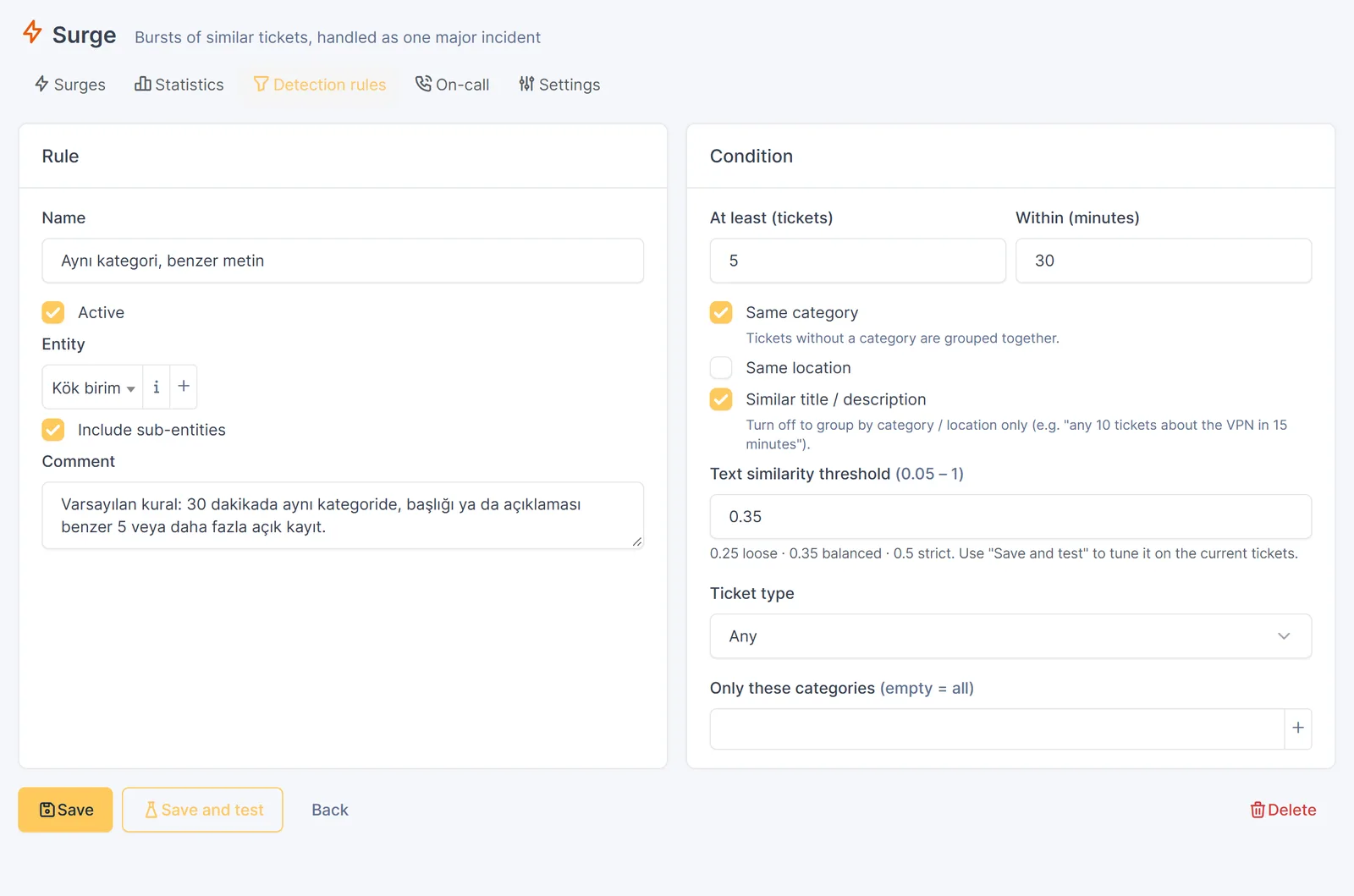
Time window, minimum count, same category / location, similarity threshold. Save and test shows what a rule would group right now.
One click to a major incident
Creates a master ticket and links every ticket to it. Late tickets are linked automatically. Can also open a problem.
Tell everyone, solve once
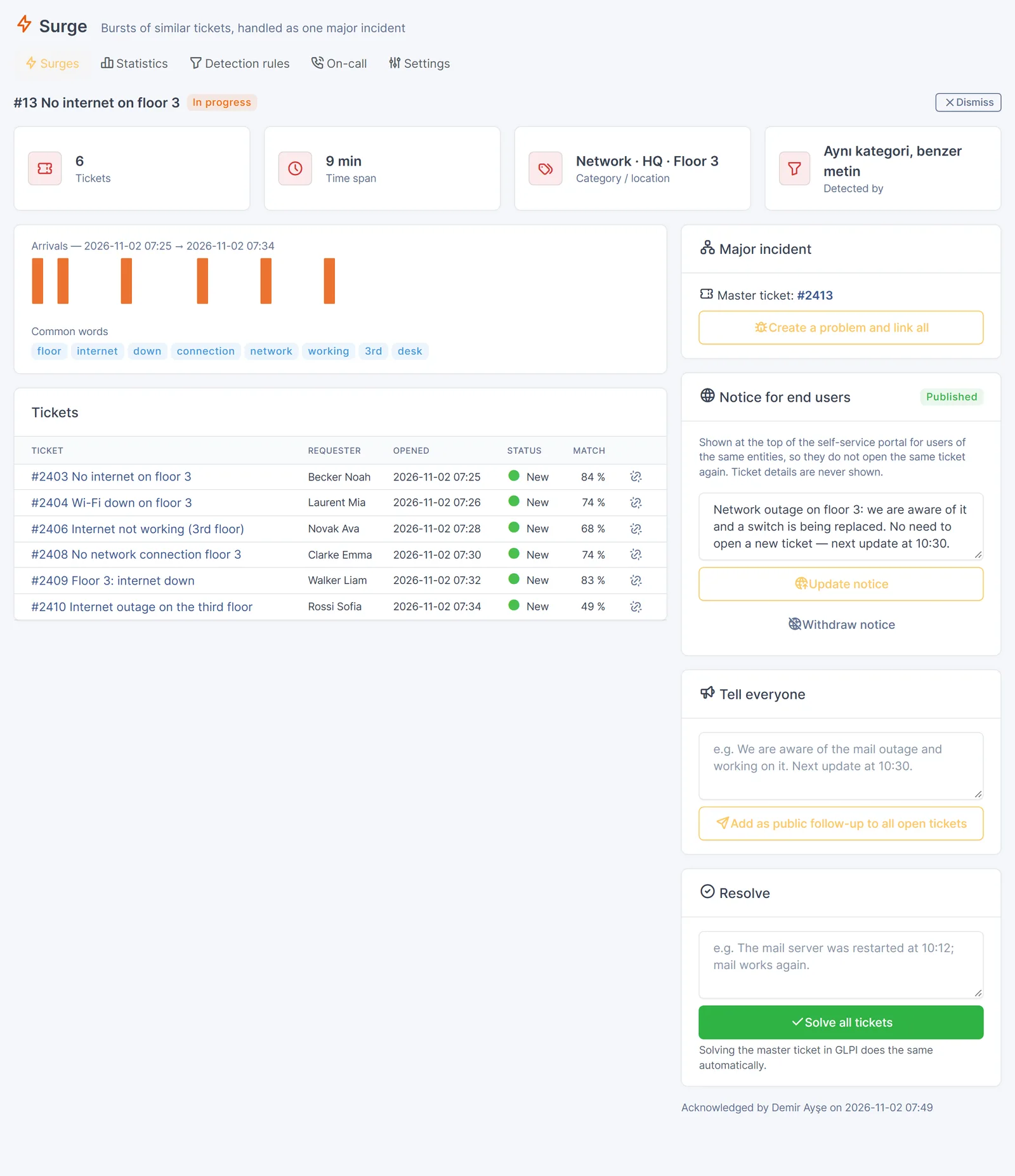
One public follow-up goes to every open ticket. Solving the master ticket solves every linked ticket.
Portal notice
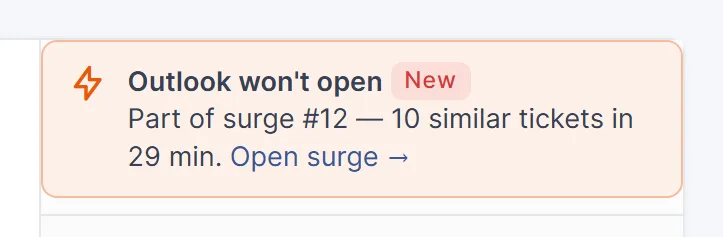
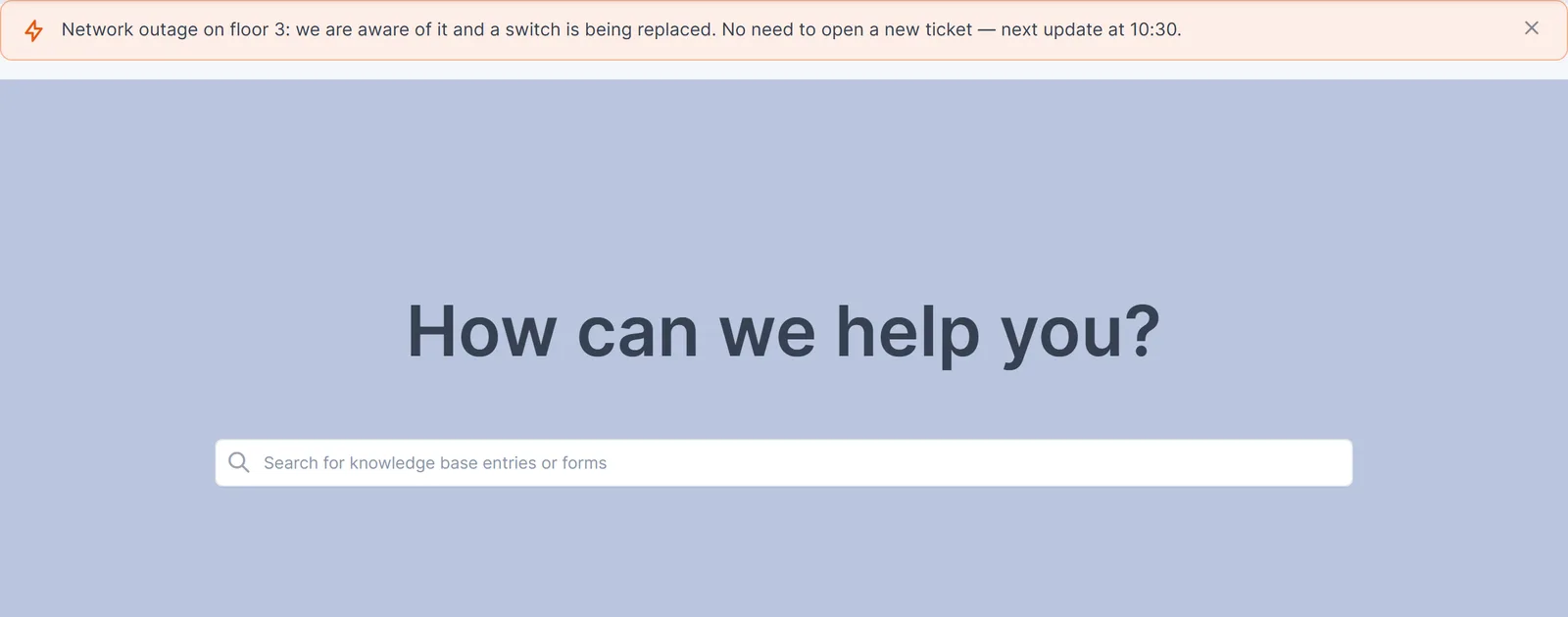
"We are aware of the network outage on floor 3" on the self-service portal, so users stop opening the same ticket. It turns into "Resolved" when you fix it.
On-call and alerts
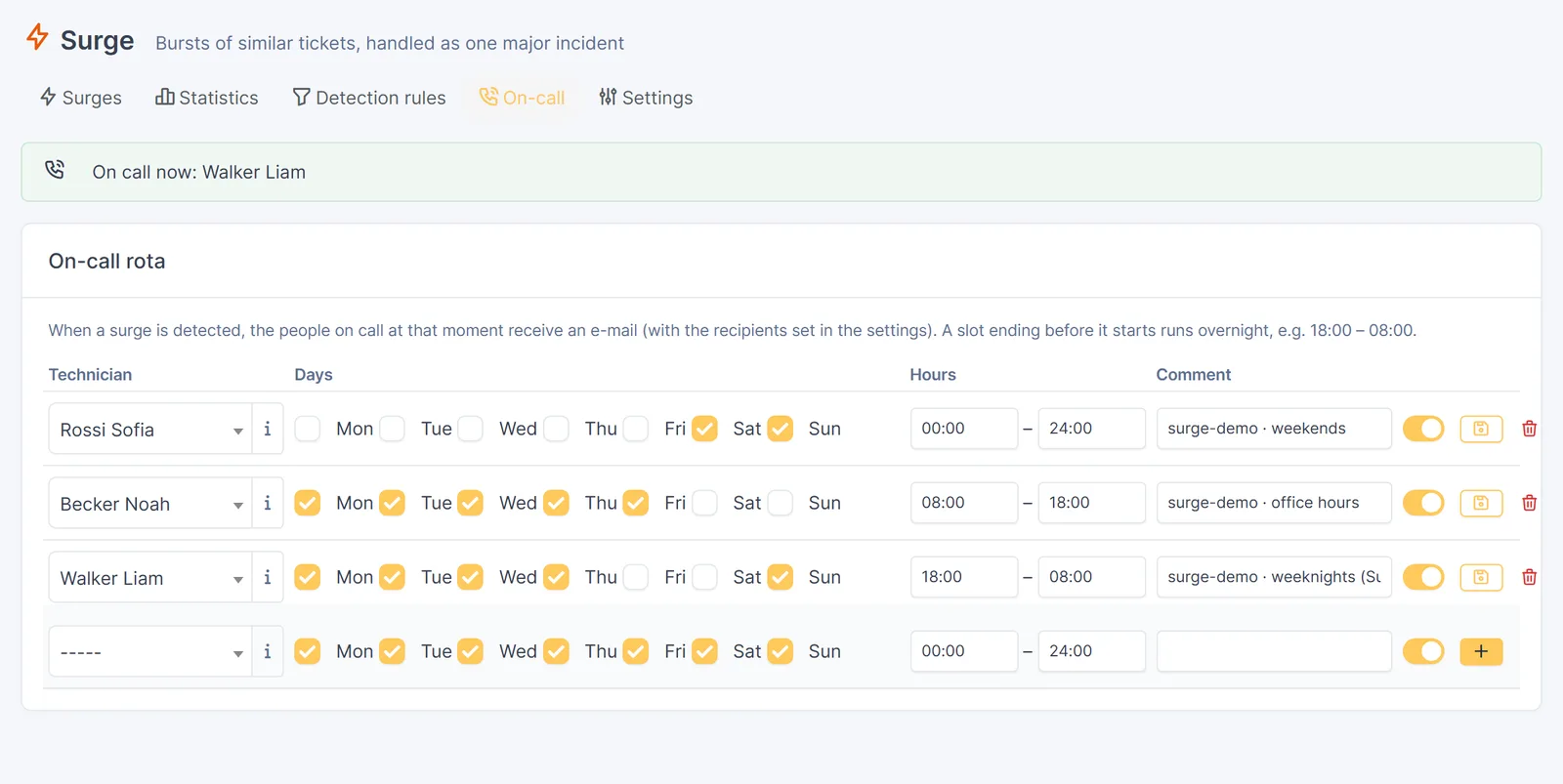
A simple on-call rota: whoever is on duty gets the e-mail. Webhooks to Slack, Microsoft Teams or any HTTP endpoint.
Statistics
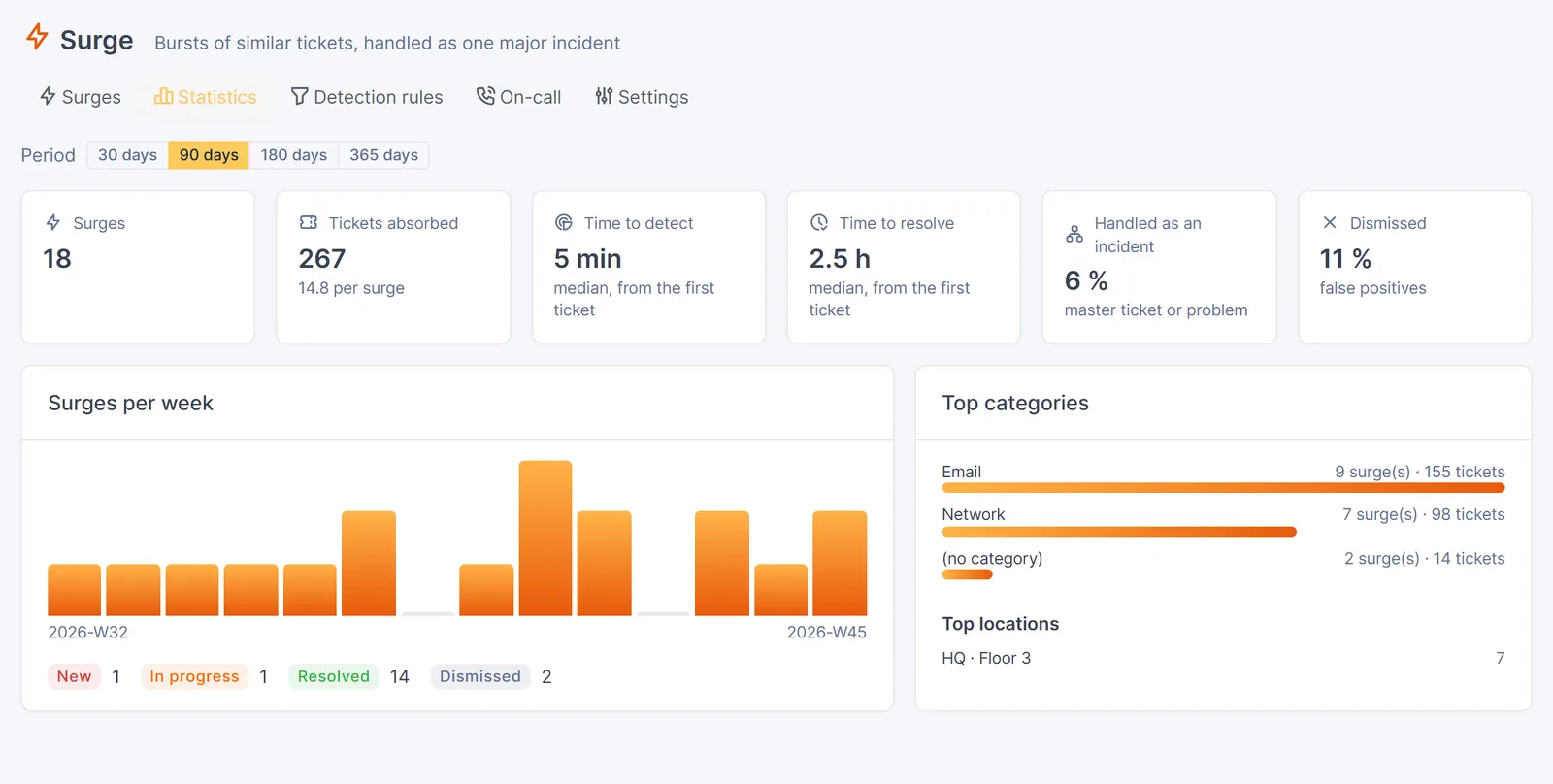
Time to detect, time to resolve, tickets per incident, false-positive rate, top categories and locations.
Optional semantic matching
Connect an embedding model you host (Ollama, llama.cpp…) and tickets with no shared words match too.
Screenshots
Taken with demo data.
Installation
Requirements: GLPI 11.0+ or 12.0+, PHP 8.2+, GLPI cron configured (for the 5-minute safety net).
Download
Get
surge-<version>.tgzfrom the GitHub releases and extract it into GLPI'spluginsfolder. The folder must be namedsurge.cd /var/www/glpi/plugins sudo tar xzf /tmp/surge-<version>.tgz sudo chown -R www-data:www-data surge
Install and enable
Open Setup → Plugins and click Install, then Enable. Or from the command line:
# GLPI 11
sudo -u www-data php /var/www/glpi/bin/console glpi:plugin:install surge -u <admin>
sudo -u www-data php /var/www/glpi/bin/console glpi:plugin:activate surge
# GLPI 12: plugin:install / plugin:activate
Start
A default rule is already active under Assistance → Surge → Detection rules: 5 similar open tickets in 30 minutes, same category. Open a rule and press Save and test to see what it would group right now.
Docker images with GLPI and Surge preinstalled, and installing from source: see the README on GitHub.
Surge Pro
Solved tickets that look like the new one, with their solutions. Recurring errors spread over weeks.